> For the complete documentation index, see [llms.txt](https://docs.gmgn.ai/index/llms.txt). Markdown versions of documentation pages are available by appending `.md` to page URLs; this page is available as [Markdown](https://docs.gmgn.ai/index/x-tracker.md).
# X Tracker
Monitor Trends in Real-time. Accurately track Tweet, Reply, Retweet, Quote, Update Bio from Master, Trader, KOL. Support Quick Buy. Try it now!
* 2000+ curated Twitter accounts, including Master, Trader, KOL
* Monitor selected X accounts in \[Mine]
* No limit for accounts in \[Top Subscriptions]
* Non-\[Top Subscriptions] accounts limited to 5
* ⚠️ Notice: If \[CA/Token] is selected, only tweets containing CA will show in X Tracker
## 1. Customize
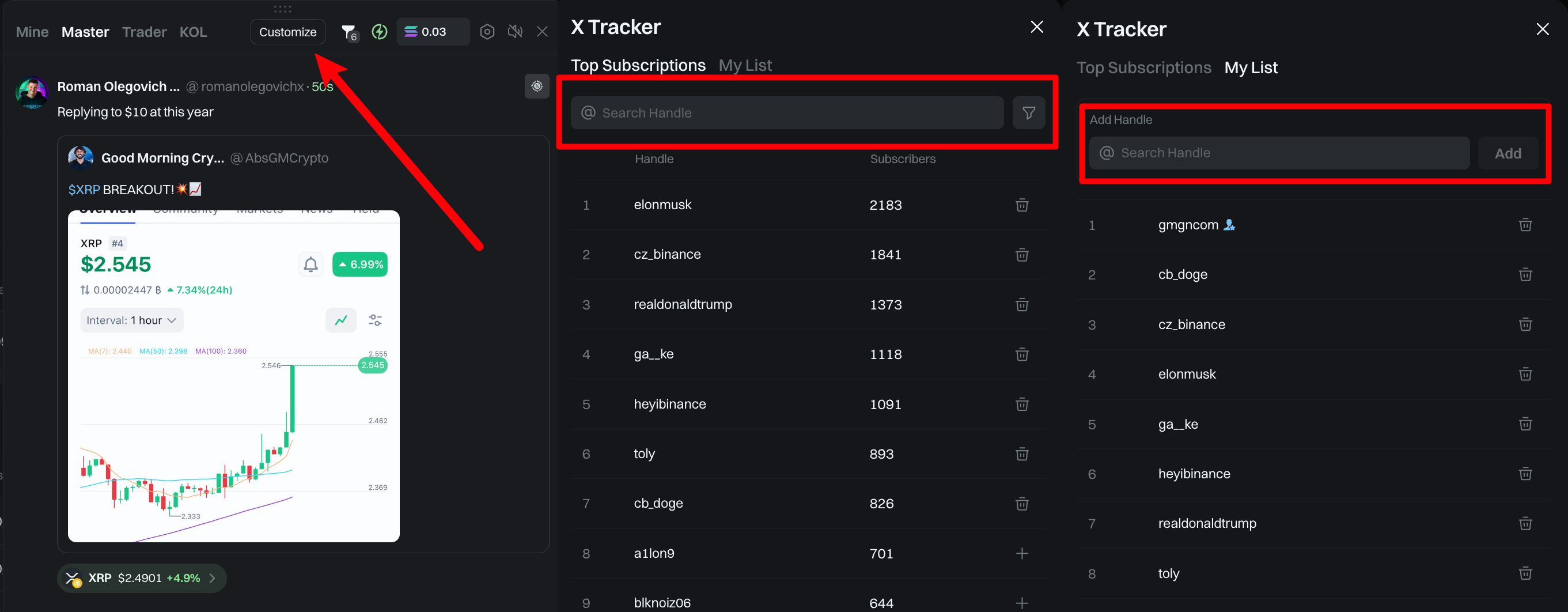
* Click Customize to add Twitter accounts to \[Mine] for monitoring
* If the selected account isn't in \[Top Subscriptions], go to \[My List] and add it manually
* Non-\[Top Subscriptions] accounts limited to 5
## 2. Choose Type
* Choose displayed monitoring content: Tweet, Reply, Retweet, Quote, Update Bio
* ⚠️ Notice: If \[CA/Token] is selected, only tweets containing CA will show in X Tracker
## 3. Qucik Buy
* Click the lightning/settings icon to access the \[Quick Buy] settings interface. You could alos edit the SOL amount per purchase here
* Click \[⚡️ xx SOL] button next to the identified token CA to buy instantly
## 4. Create SnipeX
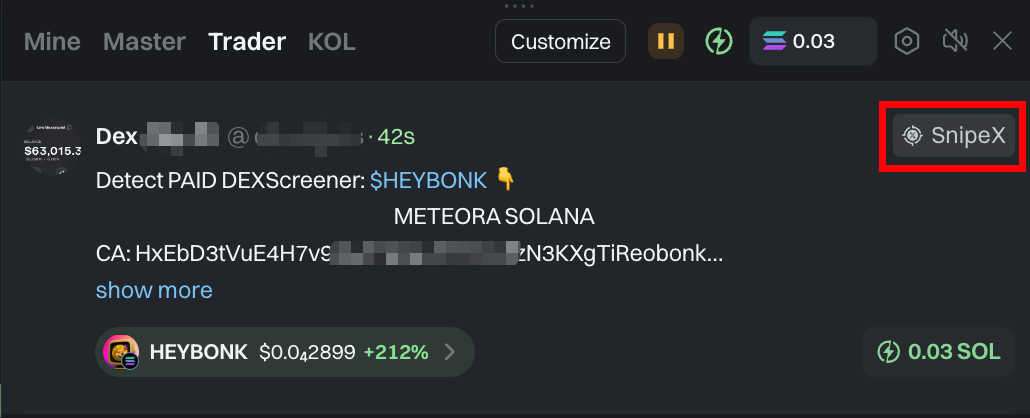
* Create \[SnipeX] for your favorite X accounts anytime, with Millisecond-Level Snipe, no manual buying needed
* \[SnipeX]: Monitor Twitter for new token contracts, auto-buy in millisecond, and hunt for the next 100X GEM
* For more details on \[SnipeX], please check: [SnipeX ](/index/snipex.md)